Are you looking for extra income?
I started a blog/website to test if a regular stay-at-home mom could make money online “blogging.”
I put blogging in quotes because blogging is totally different than what I used to think about it!
It now provides for our family, has allowed for us to travel, take time off whenever we need and enjoy our kids and life more!
If you’ve been thinking about starting a blog you should do it today! Blogging is an awesome way to make extra income working part-time around your kid’s schedules.
I make $9,000+ a month blogging PART-TIME.
I’ll walk you through everything step-by-step.
You don’t have to be tech savvy (I’m not either!). It’s really not that hard, if you know what buttons to click!
Disclosure: We are an affiliate for Bluehost, which means we make a commission if you sign up—at no additional cost to you. Bluehost is where we started our blog and where we recommend all our friends, family members and blog readers start. We’ve been able to negotiate a special discounted price for all our blog readers—you will get discounted pricing and a free domain through our link.
Click here to start (this will open in a new tab) and then follow the tutorial below!
How to Start a Blog Step-by Step (No tech knowledge required)
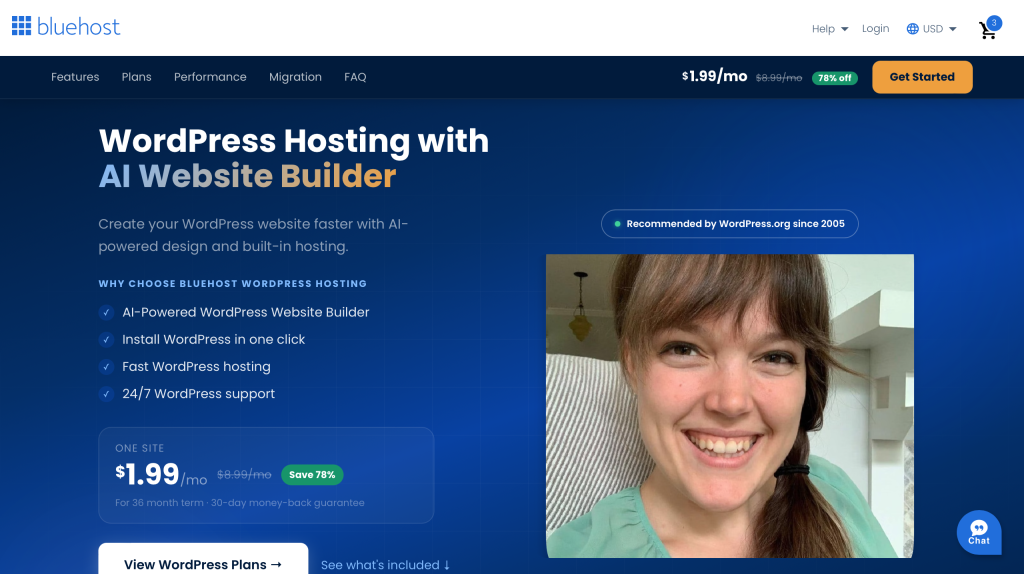
1. Click to Bluehost. The price should say $1.99 (that is a special price for our readers if you use my link, that is even cheaper than when I started!). Then, scroll down to the plans.
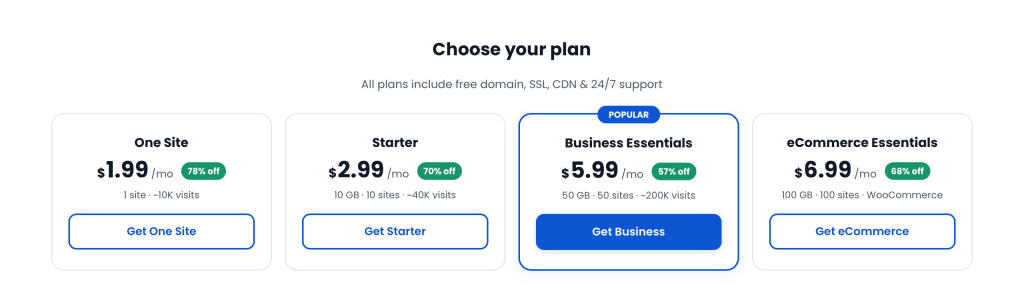
2. You’ll want the $1.99 plan. I started on the cheapest plan too! (You can always upgrade later if you want but the $1.99 plan is all you need). Click the “Get One Site” button.
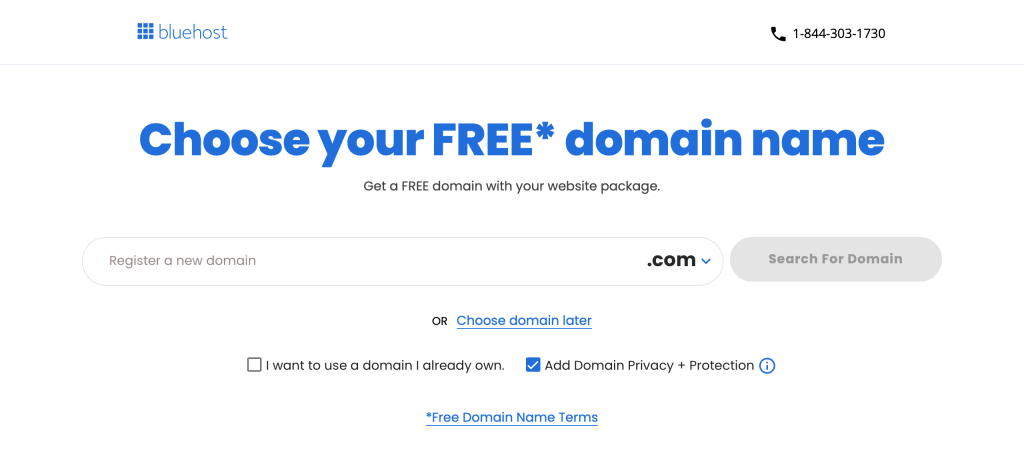
3. Here’s where you get to decide your blog name! Fill in your blog name idea and click Search. It’s very likely the first name you try won’t be available (that happened to me too!) just keep trying a few name ideas until you find on that is available! Don’t overthink it.
Note: If already have a blog hosted elsewhere, you can move your hosting over to Bluehost by clicking “I want to use a domain I already own.”
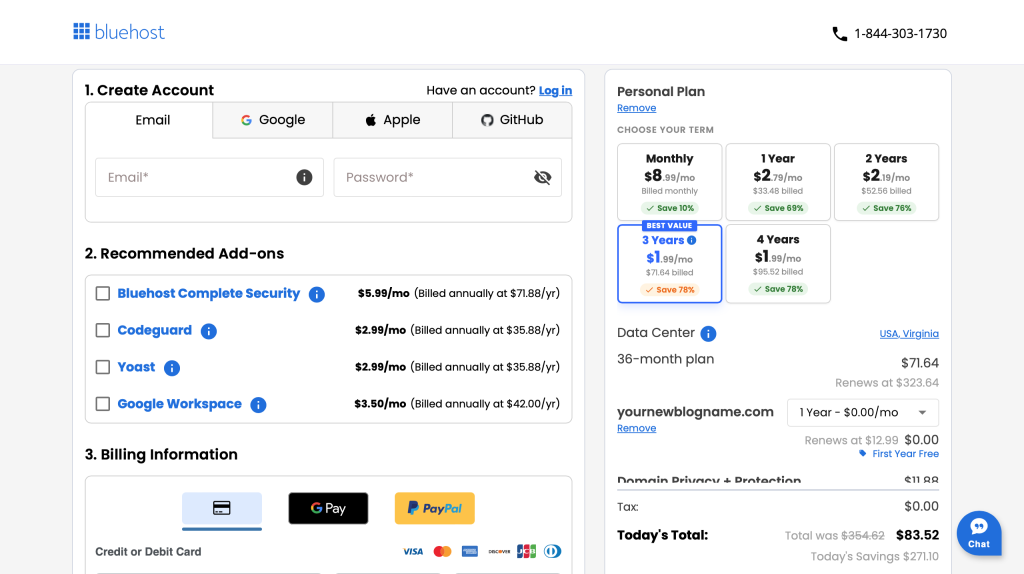
4. If you reach the the Checkout page that means the name you tried is available!! You can begin filling in your information (your email, password, etc).
5. You can skip all the Recommended Add-ons.
6. In your cart, on the right, you can choose how long you want to start your blog for (1, 2, 3 years…), I started my blog for 3 years (it’s the best value) but it’s totally up to you! Regardless, you’ll get your domain name (your blog name!) free for the first year!
7. I highly recommend keeping “Domain Privacy + Protection” that is automatically in your cart – this keeps your information (address, email, phone) private from everyone on the internet – absolutely worth 99 cents a month.
8. You can remove the free “The Professional Email Trial” if you don’t want to be charged for it in the future. (I would remove it, if it was me.)
9. Fill in your payment information and that’s it! Once you submit your payment you have a blog!! Congrats!!!
10. At this point, WordPress.org will automatically install for you (for free after you sign up with Bluehost). WordPress is the inside framework of your new blog! You can think of it this way: Bluehost is like renting a little plot of internet land, and WordPress is like your blog house (you will write your posts and design your blog inside of WordPress).
11. You can access your new blog anytime by going to your new blog domain and then adding “/wp-admin” to the end. (i.e. www.therealisticmama.com/wp-admin is how I access the backend of my blog, just replace therealisticmama with your new blog name) and then click login with Email and Password.
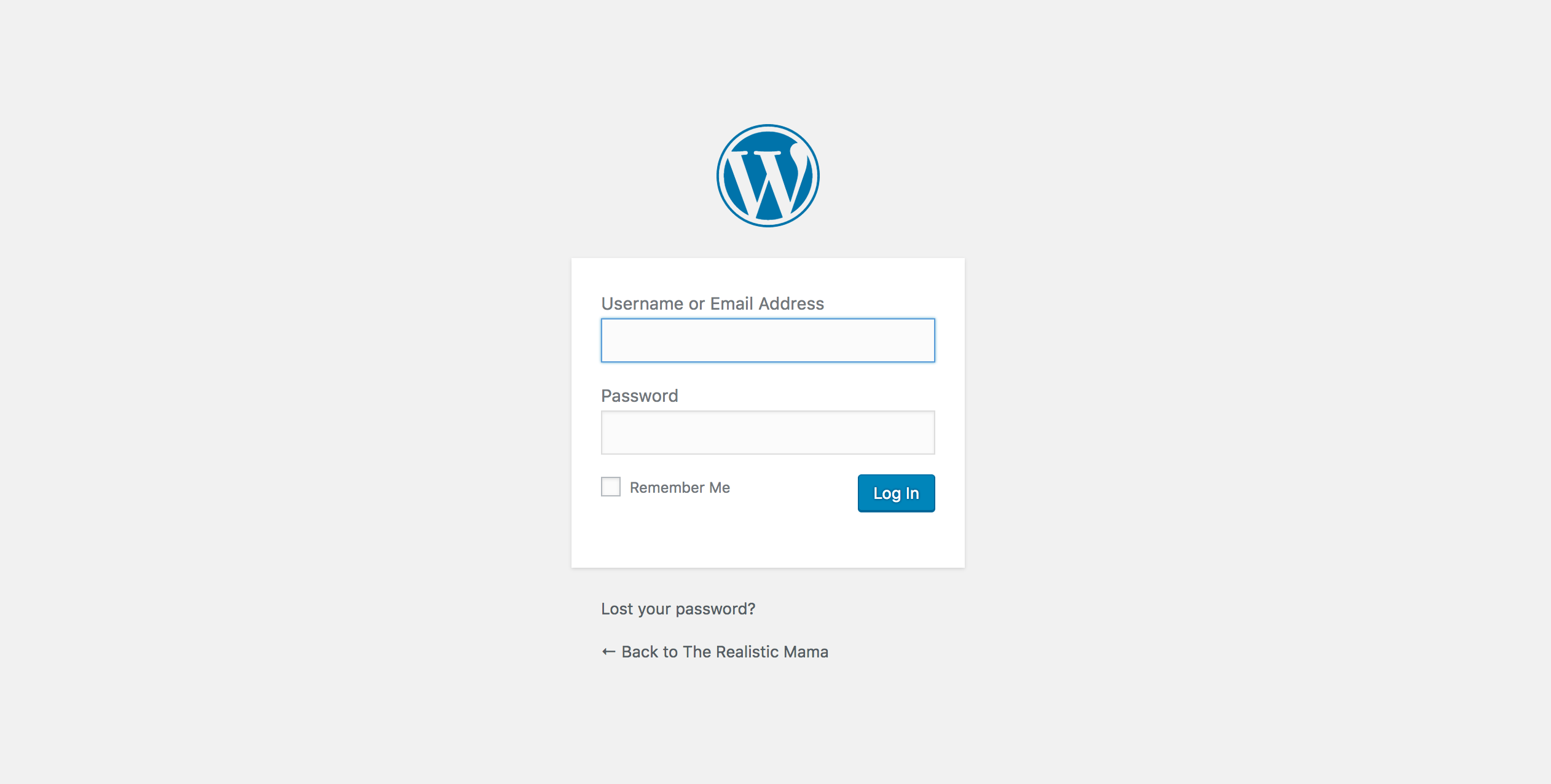
That’s it! Inside WordPress is where you will design your site (do this by installing a theme), write your first post, etc.
Congratulations on your new blog!
If I can do it, truly you can too! Cheering for you!!
Let me know if you have any questions as you go! God bless!
Alida
P.S. If you’d like A FREE GIFT, you can send us an email (to alida@therealisticmama.com), that you started a blog and your new blog name and we will send you a Blogging BONUS!! So excited for you!
Leave a Reply